vodacom.temp

WWE Wrestle Club Monthly

Package ID
wwe_wrestcleclub_monthly_r13999
Service ID
package:p-pmconnect-wwe
Description
Our content portal will keep you up to date with the latest video clips and give you the ability to personalise your phone with wallpapers, all at your fingertips.
Duration
Monthly
Package Inclusions
VFS Streamy Package Inclusion Key
Free Trial
VFS Streamy Package Inclusion Value
1 Day
VFS Streamy Package Inclusion Key
Devices
VFS Streamy Package Inclusion Value
All Devices
VFS Streamy Package Inclusion Key
Ads
VFS Streamy Package Inclusion Value
Ad Free
VFS Streamy Package Inclusion Key
Access
VFS Streamy Package Inclusion Value
Mobile Connection Required
Partner Key
WWE
Subscription Type
Video
Package Type
Recurring
Promote
Off
Price
R139.99
Backend Name
WWE Wrestling Club Monthly
Price in Cents
13999
Displayed
On
Backend Duration
month
Backend System
Fusion

Google Page Update

Google Play Store Logo
Add a payment method to unlock new levels of your favourite game

How to pay for Google Play

Credit or debit cards

You can add the following credit/debit cards to your account:

  • American Express
  • Mastercard
  • PayPal
  • Visa

Note: The types of cards accepted through Google Play may vary. If your card doesn't work when you think it should, contact your bank or card issuer for help.

Credit or debit cards
Play Gift Cards

A Google Play gift card is a prepaid card that can be redeemed to make purchases in the Play Store in the form of Google Play
balance.

Google Play gift cards come in various types. You can get physical Google Play gift cards from authorized retail stores such Hi-Fi
Corporation + Incredible Connection + Clicks and other retail stores.

Play Gift Cards
Add to Vodacom Bill

You can charge purchases to your Vodacom Bill.

When you buy something, you'll see the charge on your account after a few minutes.

Add to Vodacom Bill
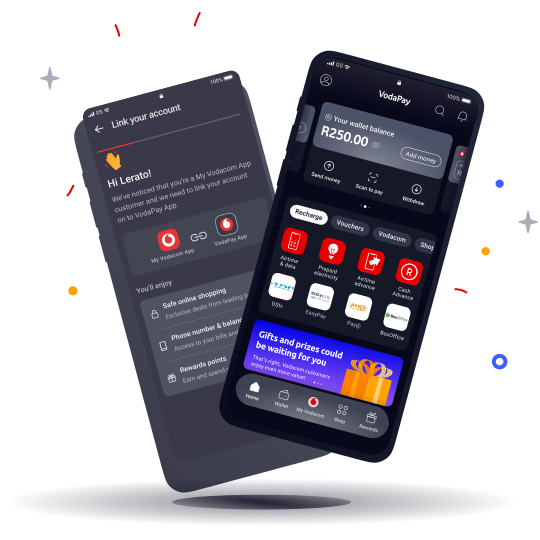
VodaPay Virtual Card

VodaPay virtual card is a digital card which is secured and easy to use. The card is linked to your VodaPay wallet on the app is an access mechanism to your existing funds in the VodaPay wallet.

Click here to get the step-by-step guide on how to create your virtual card

VodaPay Virtual Card

Google Apps & Services

Proactive Protection

Have peace of mind that you and your data are secure.

  • Spam & phishing protection
  • Malware & bad app protection
  • Privacy protection
  • Data protection
  • Device protection
  • Physical safety


Proactive Protection
Weight
0

New RED Integrated pricing update 2026

New RED Integrated Pricing Update 2026

Keeping you connected to what matters most

We’re committed to giving you a fast, smooth, and reliable experience. To support ongoing improvements, an annual price update will take effect from 1 February 2026.
 

Here’s what this means for our customers:

  • Stay connected during outages with stronger backup systems
  • Stream and browse seamlessly with faster 4G and 5G speeds
  • Enjoy world-class performance with infrastructure upgrades
  • Get easy, effortless help with extra digital support

Thank you for choosing Vodacom, South Africa’s Champion Network, to keep you connected in 2026.

See your specific plan details below:
 

RED Integrated – Hybrid Plans

Price Plan NamePrice (incl. VAT)New Price (incl. VAT) 
RED 1GB 50min Top-upR270,00R292,00
RED 2GB 100min Top-upR350,00R378,99
RED 3GB 100min Top-upR410,00R443,00
RED 3GB 250min Top-upR560,00R605,00
RED 6GB 100min Top-upR560,00R605,00
RED 6GB 250min Top-upR735,00R793,99
RED 6GB 750min Top-upR935,00R1010,00
RED 12GB 250min Top-upR935,00R1010,00
RED 12GB 750min Top-upR1135,00R1226,00
RED 18GB 250min Top-upR1135,00R1226,00
RED 18GB unlimited Top-upR1574,99R1701,00
Red 4GB 250min Top-UpR609,99R659,00
Red 6GB 500min Top-UpR835,00R902,00
Red 9GB 500min Top-UpR935,00R1 010,00

RED Integrated Postpaid - New Plans

Price Plan NamePrice (incl. VAT)New Price (incl. VAT) 
RED 1GB 50minR255,00R276,00
RED 2GB 100minR315,00R341,00
RED 3GB 100minR375,00R406,00
RED 6GB 100minR525,00R567,00
RED 3GB 250minR525,00R567,00
RED 6GB 250minR675,00R730,00
RED 6GB 750minR875,00R946,00
RED 12GB 250minR875,00R946,00
RED 12GB 750minR1075,00R1160,99
RED 18GB 250minR1075,00R1160,99
RED 18GB unlimitedR1475,00R1594,00
Red 4GB 250minR575,00R621,00
Red 6GB 500minR775,00R837,00
Red 9GB 500minR875,00R946,00

Postpaid Price Increase FAQ’s

1. Why is there a price increase?

To keep you – and millions of South Africans – connected to the people and moments that matter most is at the heart of who we are. And to help achieve this, we continuously invest in our network to give you a fast, smooth, and reliable experience. To support these improvements, there will be an annual price update from 1 February 2026.

2. When will the annual price increase come into effect?

From 1 February 2026.

3. Will the annual price increase be applied to all plans?

The following postpaid contract plans: RED Integrated, RED Flexi, RED VIP, Home Internet (FWA), Mobile Broadband (SIM-Only data), and Legacy plans will be impacted by the price increase.

4. How do I know what price plan I am on?

Open the VodaPay app and then follow this pathway: View all > My account > Account details > Manage my number

6. Will this change my device financing?

No. We’ve absorbed additional costs to keep device fees, SMS and MMS rates and out-of-bundle data rates unchanged.

7. Are you allowed to change the price?

Vodacom reserves the right to update their terms and conditions as long as customers are made aware of any changes at least 20 working days beforehand. This also doesn’t breach Consumer Protection Act  as the increase is in line with inflation.

8. What if I only just signed my contract?

You’ve joined us during our annual price increase period, however we do understand your cost pressures. That’s why all new and upgrading customers will be given a 2 (two) months grace period.  Please see grace period timelines below.

CUSTOMER BASECOMMS DATEEFFECTIVE PRICE UPDATE DATE
Inflows & Upgrades
01 Nov – 31 Dec 2025
27 January 202601 March 2026
Inflows & Upgrades
01 Jan – 31 Jan 2026
13 February 202601 April 2026
Inflows & Upgrades
01 Feb – 05 Feb 2026
13 February 202601 April 2026
9. Does the price increase apply to family deals with three lines?

Yes, if the lines are chargeable then price increase will apply.

10. Does the price increase apply to 2025 Black Friday promotions?

Black Friday deals and promotions have been granted a 2-month grace period.  Their increase will be effective 01 March 2026.

11. Does the price increase apply if I’m no longer under contract and on a month-to-month basis?

Yes, it applies to all postpaid contract customers (in-contract and out-of-contract). Those out of contract may experience higher costs because of promotional add-ons and/or discounts falling away at the end of the contract term.

12. I didn’t get any notification of this update?

Vodacom will send out communication to existing customers both a combined email (inclusive of all plans) and an SMS between Mon, 08 - Tue 10 December 2025. Please see below table when price increase will impact customers who sign up or upgrade from 01 November 2025.

CUSTOMER BASECOMMS DATEEFFECTIVE PRICE UPDATE DATE
Inflows & Upgrades
01 Nov – 31 Dec 2025
27 January 202601 March 2026
Inflows & Upgrades
01 Jan – 31 Jan 2026
13 February 202601 April 2026
Inflows & Upgrades
01 Feb – 05 Feb 2026
13 February 202601 April 2026
13. How do I change or cancel my plan?

Contact Customer Care on 135 and an agent will help you.


*The details presented were accurate at the time of issuance. For the most current and verified information, please consult your official billing statement.

Page Description
Vodacom is committed to delivering reliable connectivity on SA’s Champion Network. In today’s challenging environment, we’re investing more than ever to ensure your experience remains seamless.
These investments are essential to sustain the quality you expect. As part of this commitment, to sustain these improvements and protect your connectivity, your average monthly bill increases by up to 9%, effective 01 February 2026.
Page Title
New RED Integratedpricing update 2026
Keywords
New RED Integratedpricing update
Weight
0
Page Category
Page URL
/vodacom/shopping/plans/new-red-integrated-pricing-updates-2025

Fibre Support

Fibre Support

Tool Icon

Fibre Installation


Waiting for Fibre? Track your install now

Wifi Icon

Managing Your Fibre Service

Stay in control – manage your fibre easily

Performance Optimisation

Performance Optimisation


No lag, no limits – how to get peak performance

Moving Icon

Moving Homes or Cancelling Fibre

Cancel or move fibre – quick and easy

Support Videos

Video 1

Video 1


Video 2

Video 2


Video 3

Video 3
 

Video 4

Video 4

Quick Support Tools

Access VodaPay App

Access VodaPay App

Track Router Delivery

Track Router Delivery 

Fair Usage Policy FAQs

Home Internet Approved Routers

Home Internet LTE and 5G FAQs

General Resources & FAQs

How do I change my Wi-Fi password?

To change your Vodacom Wi-Fi password, you'll need to access your router's settings page through a web browser. The exact steps vary slightly depending on your router model, but generally involve finding your router's IP address (often 192.168.1.1 or 192.168.0.1), logging in with your router's username and password (often admin/admin), navigating to the Wi-Fi settings, and then changing the password. Please check out router guides here 

Can I move my service if I change address?

Service relocations will be allowed subject to the availability of fibre infrastructure at the location you're moving to.

If our Vodacom team can provide Internet services at your new location, you'll be offered a service similar to the service you had at your previous location. However, you will incur additional costs relating to the provisioning of the service at the new location.

Please note: If the relocation is to an area without a fibre network, then your current contract may be cancelled without any penalty, and you'll remain liable for the cost of the Customer Premises Equipment (Wi-Fi-enabled router). 
 

Where can I manage my home internet account?
  • VodaPay
  • USSD
  • Vodacom online portal
  • Customer Care
     

Contact Us

Page Title
Fibre Support Page
Weight
0
Page URL
/vodacom/shopping/home-internet/hub/fibre-support

Home LTE and 5G Support

LTE and 5G Support

Tools icon

Setup & installation


Ready to connect? Get your 5G or LTE set up now


Wifi Icon

Managing your 5GE or LTE service

Stay in control – manage your 5G or LTE easily


Question Icon

Device & Network Support


Got issues? Get quick device and network support


Support Videos

Video 1

Video 1


Video 2

Video 2


Video 3

Video 3
 

Video 4

Video 4

Quick Support Tools

Access VodaPay App

Access VodaPay App

Track Router Delivery

Track Router Delivery 

Fair Usage Policy FAQs

Home Internet Approved Routers

Home Internet LTE and 5G FAQs

General Resources & FAQs

How do I change my Wi-Fi password?

To change your Vodacom Wi-Fi password, you'll need to access your router's settings page through a web browser. The exact steps vary slightly depending on your router model, but generally involve finding your router's IP address (often 192.168.1.1 or 192.168.0.1), logging in with your router's username and password (often admin/admin), navigating to the Wi-Fi settings, and then changing the password. Please check out router guides here 

Can I move my service if I change address?

Service relocations will be allowed subject to the availability of fibre infrastructure at the location you're moving to.

If our Vodacom team can provide Internet services at your new location, you'll be offered a service similar to the service you had at your previous location. However, you will incur additional costs relating to the provisioning of the service at the new location.

Please note: If the relocation is to an area without a fibre network, then your current contract may be cancelled without any penalty, and you'll remain liable for the cost of the Customer Premises Equipment (Wi-Fi-enabled router). 
 

Where can I manage my home internet account?
  • VodaPay
  • USSD
  • Vodacom online portal
  • Customer Care
     

Contact Us

Page Title
Home LTE and 5G Support
Weight
0
Page URL
/vodacom/shopping/home-internet/hub/5g-or-lte-support

TV Redemption 2025

Black Friday 2025
Samsung TV Redemption Journey

If you purchased the Vodacom Home Internet + Samsung TV Black Friday deal, follow the steps below to redeem your Samsung TV.

Step 1

Receive your Home Internet + TV voucher

After you’ve placed your order online, your Home Internet router and a printed Samsung TV voucher will be delivered to your address.

The voucher will be included in your delivery package.


Step 2

Your TV voucher

Your printed Samsung TV voucher explains how to redeem your TV and includes your unique QR code.

Keep this voucher in a safe place until your TV is delivered.


Step 3

Scan your QR code and complete your details

- Open your phone’s camera and scan the QR code printed on your voucher.

- The QR code will take you directly to the Samsung TV Redemption website.

Complete the online form with your: 

- Full name

- Delivery address

- Contact number

- South African ID number

- Valid TV License number

- Upload the documents requested on the form — usually your ID copy, TV License, and proof of purchase.

-Before submitting, check that all your information and documents are correct.


Step 4

Samsung validates your claim

-Samsung will validate your claim and process your order.

- Once complete, you’ll receive a confirmation email from Samsung


Step 5

TV delivery

-After your claim is approved, Skynet (Samsung’s delivery partner) will contact you to arrange delivery of your TV.

- Delivery usually takes place within 2–3 working days after validation.


Samsung TV Support

It’s important to report your issue within the correct time frame:


Type of issue

When to report

Description

OBF (Out of Box Failure)

Within 7 days

The TV was tested before sale and has a manufacturing defect.

DAP (Defective After Purchase)

Within 7 days

The TV has a manufacturing defect found after purchase.

CPA (Consumer Protection Act)

Within 6 months

The TV has a manufacturing defect covered under CPA.

Concealed Damage

Within 1 day

Cosmetic damage not visible on packaging (found in-store or within 24 hours of purchase). Damage due to incorrect handling or installation is not covered.


If you experience a problem with your TV, please contact Samsung:

Call the Samsung Call Centre on 0860 726 222. The team will assist you with troubleshooting or starting a return process.

If your TV is "damaged", you have two options to log a damaged TV:

Option 1: Return your damaged TV to the store

- Contact the Samsung Dealer Desk or call 0860 726 7864.

 - Request “In-Home OBF / CPA / Concealed Damage.”

- The store to provide your contact details, physical address, model number, serial number, and a short description of the defect.

- Samsung’s Assessment Team (ASC) will arrange a direct exchange with you and Samsung. If Samsung doesn’t have stock, they’ll refer the request to the Dealer to assist with a replacement.


Option 2: Log your damaged TV from home

- Contact the Samsung Dealer Desk directly on 0860 726 7864.

- Request “In-Home OBF / CPA / Concealed Damage.”

- Provide your contact details, physical address, model number, serial number, and a short description of the defect.

- Samsung’s Assessment Team (ASC) will arrange a direct exchange with you and Samsung. If Samsung doesn’t have stock, they’ll refer the request to the Dealer to assist with the replacement.

Weight
0

VodaStore Black Friday Competition 2025 Terms and Conditions

VodaStore Black Friday Competition Terms and Conditions

Entrants are required to be RICA-registered Vodacom customers. Prizes won are only redeemable in South Africa. Participants are responsible for their own standard data costs for online entry and must follow all promotion-specific rules, with general terms available on the Vodacom website. 


Eligibility and participation:

  • Eligible customers: Vodacom prepaid, hybrid, and contract customers can participate.
  • Required registration: All participants must have their SIM cards RICA registered.
  • Excluded SIMs: Machine-to-Machine (M2M), APN, and community services SIMs cannot participate.
  • Online entry: Standard data costs apply for online entries; Vodacom is not liable for these costs.


Earning and redeeming prizes:

  • How to participate: Enter through the VodaPay app.
  • Prize redemption: Prizes must be redeemed within South Africa, even for customers who are roaming.


Other important terms:

  • Contacting winners: Winners are contacted via the number used to enter. If a winner is unreachable, their prize may be forfeited.
  • Changes to terms: Vodacom reserves the right to modify or cancel the promotion, and these terms and conditions prevail over any marketing material.
  • No endorsement: The promotions are not sponsored, endorsed, or administered by social media platforms like Facebook, Twitter, or Instagram.
  • Entries: Only 1 entry per competition.

How to participate:

  • Use the VodaPay app: Customers can access the VodaStore via the VodaPay app to enter the competition.
  • Guess the product: An outlined image of a product will be revealed. Guess what the outlined image is to stand a chance to win 1 of 7 prizes.
  • Personal details: Enter your details, and hit submit to enter the competition.
  • Product reveal: Once all 7 competitions have ended, the products will be revealed. Customers can check if their guess was correct.
  • Winners: On 28 November 2025 the lucky winners will be announced. Customers will be contacted by phone, SMS or email.

Prizes available:

  • Customers stand a chance to win 1 of 7 prizes daily for the duration of the competition. There will be a total of 7 competition.
    • Gadgets and Tech
    • Devices and Accessorises
    • Electronics and Appliances
       
Page Description
VodaStore Black Friday Competition 2025 Terms and Conditions
Page Title
VodaStore Black Friday Competition 2025 Terms and Conditions
Keywords
Black Friday, competition, Vodapay
Weight
0
Page Category
Page URL
/vodacom/terms/competition/vodastore-black-friday-competition-2025-terms-and-conditions

Moving Homes or Cancelling Fibre

Moving Homes or Cancelling Fibre

How to transfer your fibre line

A fibre line is fixed infrastructure, so relocating your Vodacom fibre account to your new space isn’t as simple as unplugging a router and plugging it in at your new home. 

Follow these steps to stay connected: 

Step 1: Check Your Coverage

First, verify that Vodacom Fibre is available at your new home by typing the address into our online coverage checker tool. The tool will tell you if Vodacom Fibre is available, coming soon, or not available. You can also call the Customer Care line on 082 1904. Moves will be allowed subject to a feasibility study on whether the Vodacom Fibre Services is available at your new location.

If fibre is not yet available in your new area, you can cancel your fixed term Vodacom contract at your current address, however, you will be liable for the relevant early cancellation penalty fees as per the Ts&Cs, If this is the case, you might consider one of Vodacom’s other Home Internet solutions, including plug-and-play LTE or high-speed 5G.  

If Vodacom fibre is available in your new neighbourhood, your next move is…  
 

Step 2: Request a Relocation

Once you know that fibre is available at your new address, contact Vodacom to request a relocation of your service. You must give notice of one calendar month in advance and provide your current Vodacom Fibre details as well as the address of your new home. You will cancel the fixed-term contract at your existing address and enter a new agreement for the address. You can choose between month-to-month, 12-month and 24-month options. 

Additional costs may be associated with providing the fibre service at a new location. If there are, Vodacom will ask for your approval before charging you any fees. 
 

Step 3: Move the Router

Vodacom Fibre Routers are not area specific, so you musttake your Router with you when you relocate to the new address. Once your fibre relocation request is approved, Vodacom will activate your Fibre services.

This should be a straightforward process, but if the installation at your new location does require non-standard work, you may be charged for those costs.  

Step 4: Make Yourself At Home

That’s it! Vodacom’s Home Fibre packages are unshaped, unthrottled and uninterrupted, offering download speeds that range from 20 Mbps to a mega-fast 1000 Mbps. The installation is free, and the contract options give you loads of flexibility.  

Set your password, connect your devices, and enjoy all the streaming, gaming, browsing and video calling.

How to cancel your Vodacom Fibre subscription

You can cancel your Vodacom Fibre contract at any time. If you wish to cancel your subscription, call Customer Care on 082 1904 and select option 3 on IVR.

Early Contract Cancellation Fees

A new customer who subscribes for a month-to-month contract term and chooses to cancel their contract before the first 12 months of the contract have lapsed, will be liable for Balance of Contract (BOC) charges relating to installation and router costs. The BOC charge will be calculated on a pro rata basis.A customer who subscribes to a 12-month or a 24-month contract term and chooses to cancel their contract before the end of their applicable contract term, will be liable for Balance of Contract (BOC) charges relating to the monthly subscription, installation and router costs. The BOC charge will be calculated on a pro rata basis.

Contact Us

Page Description
Moving Homes or Cancelling Fibre
Page Title
Moving Homes or Cancelling Fibre
Keywords
moving, cancel fibre, fibre
Weight
0
Page Category
Page URL
/vodacom/shopping/home-internet/hub/moving-homes-or-cancelling-fibre

Fibre Performance Optimisation

Fibre Performance Optimisation

How to get a Wi-Fi extender

Should you require a Wi-Fi extender to enhance WiFi connection in your home, you can place an order  by calling Customer Care on 082 1904.

Wi-Fi extenders are available as a once-off cost or on 12, 24 and 36 months contract term. The charge will be added on the customer’s invoice as applicable.

Speed test links

If your internet is slow and sluggish, there are a few ways to test its speed to determine whether it’s performing at its best potential. 

Here are two ways you can do this:
 

1. Use Google Search

Google Search now has a built-in tool that allows users to test their internet speeds. Simply type “check internet speed” into the search bar and Google will give you the option to run the tool. This is similar to the way "find my phone" and other Google Search tools and commands are accessed.

Click the button that says “Run speed test” and Google will do the rest. It opens a popup that will test both your upload and download speeds. After this is done, Google will provide a summary of the results and its conclusion on whether your speed is fast or slow.
Compare this speed to your internet plan speed. If it’s nearing the speed of your internet plan, everything is good. However, if it’s underperforming, something may be congesting the network or your ISP is experiencing issues.

This speed test connects to international servers, so it will be a reflection of how your internet speed is performing when downloading from international sites and services.
 

2. Use Speedtest

The go-to website for many internet users to check their network speeds is Speedtest. To use the tool, you simply need to visit the Speedtest website. The site now has apps available for mobile phones and PCs if you prefer a standalone programme to the website.

Speedtest detects your ISP and IP address and locates your nearest local server, but this setting can be changed if you want to test your speed for international servers.

To run the speed test, press the button that says “Go”. The site will then run the test and give you a summary of your ping, download speed and upload speed.

Contact Us

Page Description
Fibre Performance Optimisation
Page Title
Fibre Performance Optimisation
Weight
0
Page Category
Page URL
/vodacom/shopping/home-internet/hub/fibre-performance-optimisation

Managing Your Fibre Service

Managing Your Fibre Service

Restarting your Vodacom Fibre router

To restart your Vodacom fibre router, simply unplug the power cord from the router and leave it unplugged for 30 seconds to a minute. Then, plug it back in, and the router will power up again. This will effectively restart the router and resolve any minor connection issues. 


Detailed Steps:

  1. Unplug the power cord: Find the power cord connected to your Vodacom fibre router and unplug it from the wall and the router itself.
  2. Wait: Allow the router to sit unplugged for at least 30 seconds to a minute.
  3. Plug it back in: Reconnect the power cord, plugging it back into the wall and the router.
  4. Wait for it to restart: The router will power up again, and you may see lights on the front of the router as it boots up. 


Alternative Method (if the power button is not present):

  • Some older routers might not have a power button. In these cases, you can simply unplug the power cord and wait, then plug it back in. This is the same as pressing the power button. 


Additional Tips:

  • If the issue persists, try a different Ethernet cable to rule out a damaged cable.
  • If you still can't connect, contact Vodacom customer support.
  • You can also try a factory reset, which will restore the router to its default settings, but you will need to reconfigure it afterwards


Restarting your Vodacom Fibre router

If your Vodacom fibre service is down, you should first check if it's a widespread outage by consulting downdetector.co.za or contacting Vodacom Fibre Support directly at 082 1904. If it's not a widespread issue, you can try troubleshooting steps like restarting your devices and router. If the problem persists, report it to us at Vodacom Fibre Support at the same number, or email us at [email protected] 

Contact Us

Page Description
Managing Your Fibre Service
Page Title
Managing Your Fibre Service
Keywords
Managing Your Fibre Service, Fibre support, home internet, fibre
Weight
0
Page Category
Page URL
/vodacom/shopping/home-internet/hub/managing-your-fibre-service