LTE and 5G Support

Whether you’re using Fibre or Home Internet, find everything you need to set up, manage and make the most of your connection.
Tools icon

Setup & installation

Find out more about setting up and installing your 5G or LTE.

Wifi Icon

Managing your 5G & LTE

Learn more about managing your 5G or LTE service.

Question Icon

Device & network support

Find out more about how to get device and network support.

Step-By-Step Video Support

Follow these simple visual tutorials to set up, manage, and troubleshoot your Vodacom Fibre connection
Moving to Vodacom Fibre

Stuck with slow internet? Time to switch your ISP.

What is the difference between a FNO and an ISP?
FNO vs ISP

What is the difference between a FNO and an ISP?

Prepaid vs Postpaid Fibre

Find out which option is best for you.

Quick Support Tools

General Resources & FAQs

How do I change my Wi-Fi password?

To change your Vodacom Wi-Fi password, you'll need to access your router's settings page through a web browser. The exact steps vary slightly depending on your router model, but generally involve finding your router's IP address (often 192.168.1.1 or 192.168.0.1), logging in with your router's username and password (often admin/admin), navigating to the Wi-Fi settings, and then changing the password. Please check out router guides here 

Can I move my service if I change address?

Service relocations will be allowed subject to the availability of fibre infrastructure at the location you're moving to.

If our Vodacom team can provide Internet services at your new location, you'll be offered a service similar to the service you had at your previous location. However, you will incur additional costs relating to the provisioning of the service at the new location.

Please note: If the relocation is to an area without a fibre network, then your current contract may be cancelled without any penalty, and you'll remain liable for the cost of the Customer Premises Equipment (Wi-Fi-enabled router). 
 

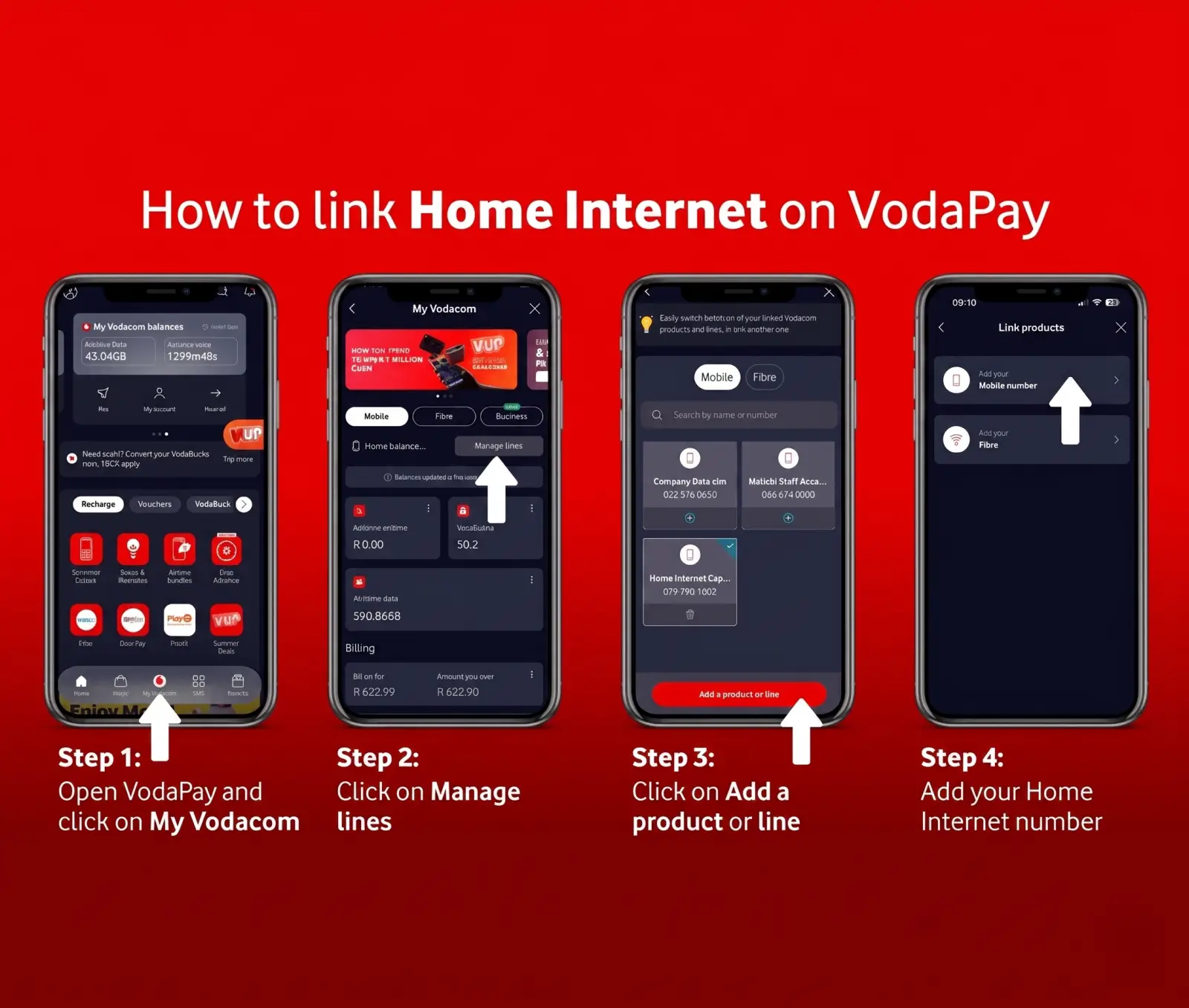
Where can I manage my home internet account?
  • VodaPay
  • USSD
  • Vodacom online portal
  • Customer Care
     

Contact Us

Call us phone icon

Enter your details and we will be in touch.

Whatsapp icon

Chat with us on 082 622 3509.