
FREQUENTLY ASKED QUESTIONS
Managing your data
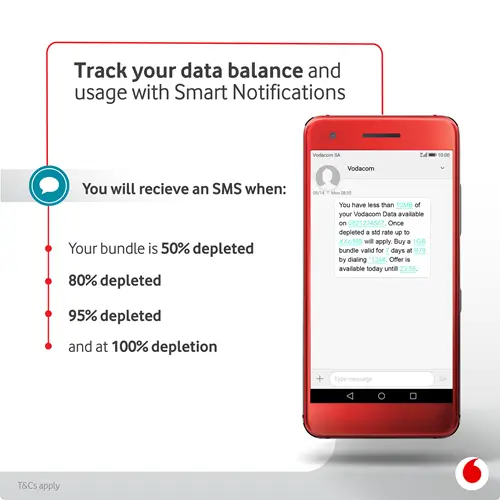
How do I get usage notifications?
Vodacom will send an SMS notification to you so you can better manage and keep track of your data usage. SMS notifications will be sent at each of the following usage points: 50%; 80%; 95% as well as 100%. The same applies for your voice and SMS usage. You will get smart notifications at the following usage points: 50%; 80% as well as 100% usage. Click the video link below to get more information.
Please note: No data is required to watch this video
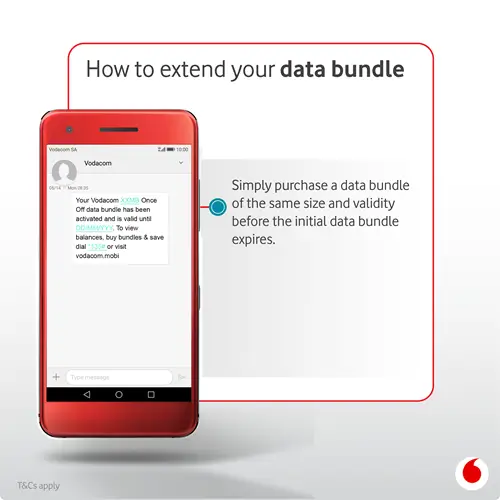
How do I extend my data?
All Vodacom customers can extend the validity of their data bundles by purchasing another bundle of the same size and validity before your existing bundle is depleted or expired. The validity of the existing bundle is extended to the validity of the last bundle of the same size and validity that was bought. Customers can extend their bundle numerous times as long as there is still some data remaining and the bundle has not expired, the purchase of a bundle of the same size and validity will extend the validity of the initial bundle.
Want to know how to extend your data? Follow the steps on the image, alternatively click the video below.
Please note: No data is required to watch this video
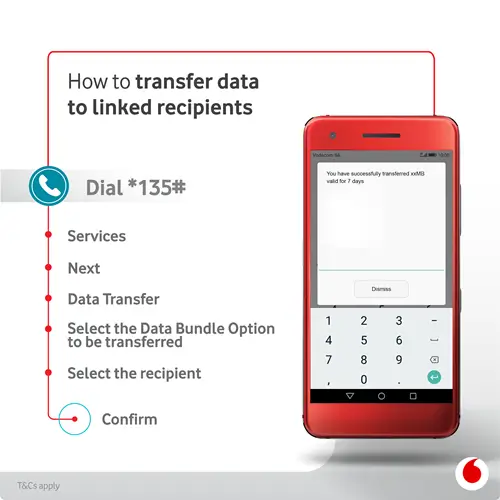
How do I transfer my data?
Data transfer allows you to transfer data to other Vodacom contract customers. Example, as a Top Up customer, you can gift another Top Up or Postpaid customer with the gift of data. Want to know how? Please click the video link, alternatively follow the steps on the image below.
Please note: Vodacom’s Data Transfer service will be free for a limited period.
Please note: No data is required to watch this video
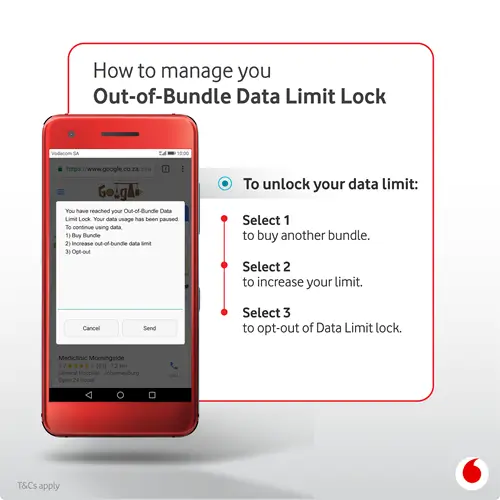
How do I enable data limit lock?
The Data Limit Lock services gives you control of your out-of-bundle data spend. To find out how to opt-in or out of data limit lock, please click the video link, alternatively follow the steps on the image below.
Please note: No data is required to watch this video
How do I opt into Data Refill?
If you are opted into Data Limit Lock, your data sessions will be stopped when you reach your set out-of-bundle data limit.
Never run out of data by opting into the Data Refill service on *135*6#.
Data Refill auto-allocates a data bundle every time your data runs out. For more information on this service, follow this link: https://myvodacom.secure.vodacom.co.za/vodacom/shopping/data-refill