
Sign up for Fibre and enjoy
lifetime access to Amazon Prime on us
From R409 PM

VODACOM UNCAPPED FIBRE
WIN with Fibre. TV & Laptop up for Grabs
Sign up for Vodacom Fibre and stand a chance to win one of two incredible prizes. A Lenovo IdeaPad worth R10 299 or a 65” QLED 4K Smart TV worth R7 199. Two customers will win! Winners to be announced after 31 October 2026. T&Cs apply.
Check coverage-

FREE ROUTER
R1500 -

FREE INSTALLATION
R2000 -

FREE ACTIVATION
R750 -

TOTAL SAVINGS Up to R5000
Our Fibre add-ons
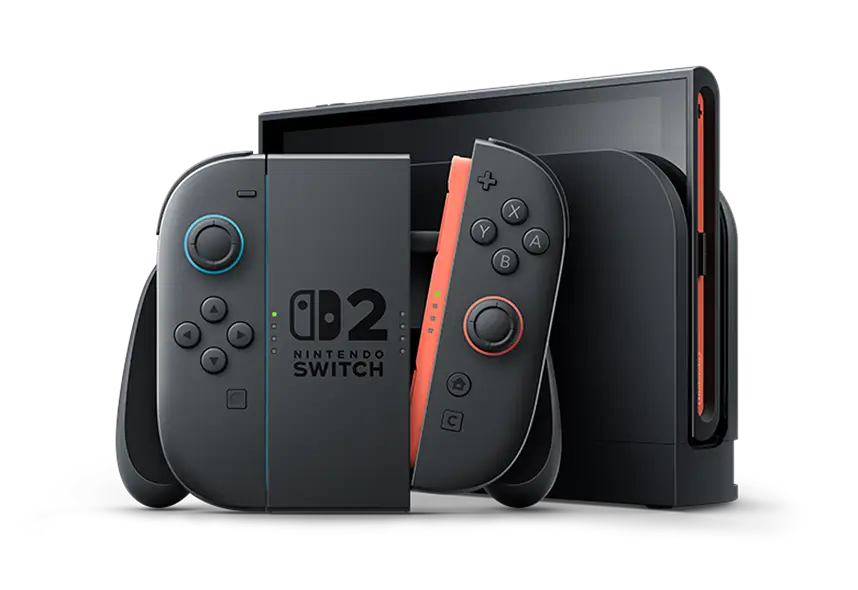
Nintendo Switch 2
Add on a Nintendo Switch 2 when you sign up for Fibre.
NOW FROMR369PM x 36
Samsung 55-inch UHD Smart TV
Pair your Fibre with a Samsung 55-inch Smart TV for seamless streaming and cinematic entertainment.
NOW FROMR199PM x 36

PS5 Disc Slim
Add on a PS5 Slim Digital when you sign up for Fibre. While stocks last.
NOW FROMR379PM x 36

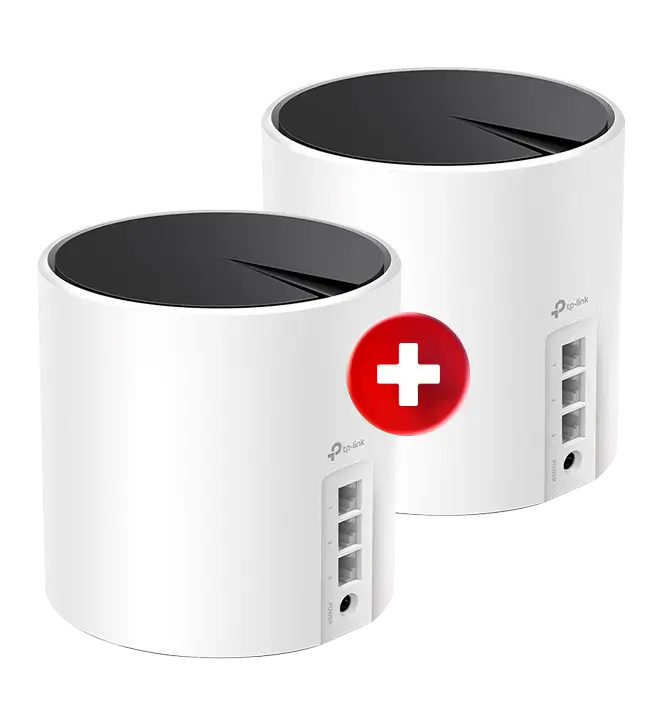
Stronger WiFi in every room.
Add 2 TP-Link Deco X55 Wifi units to your Fibre deal and enjoy fast, reliable whole-home WiFi.
NOW FROMR40PM x 36
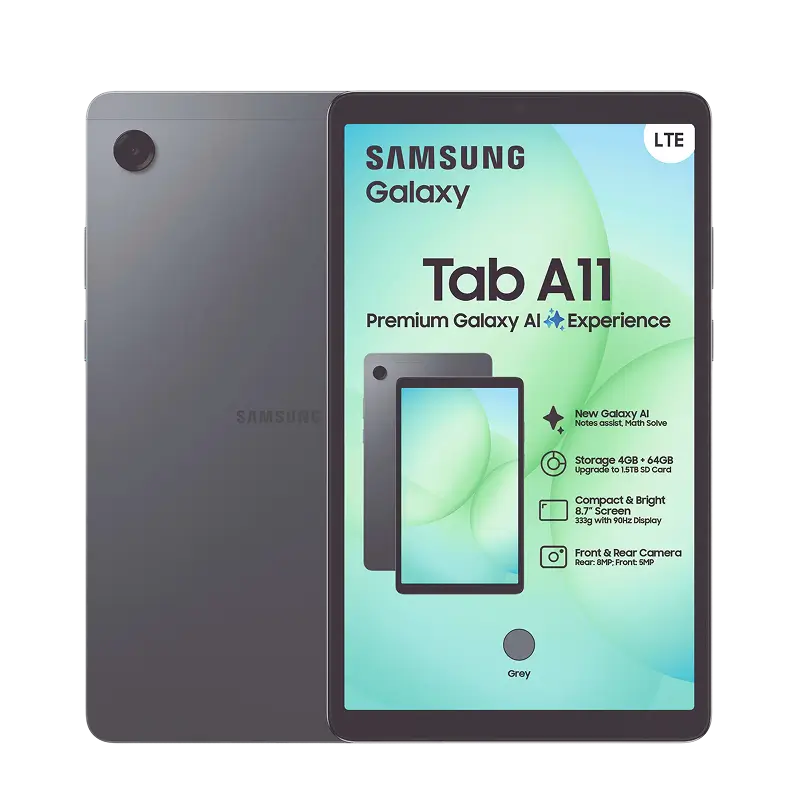
More than just Fibre, get the Samsung Tab A11
Sign-up to upgrade your Fibre experience with the Samsung Galaxy Tab A11 64GB 4G.
NOW FROMR99PM x 36
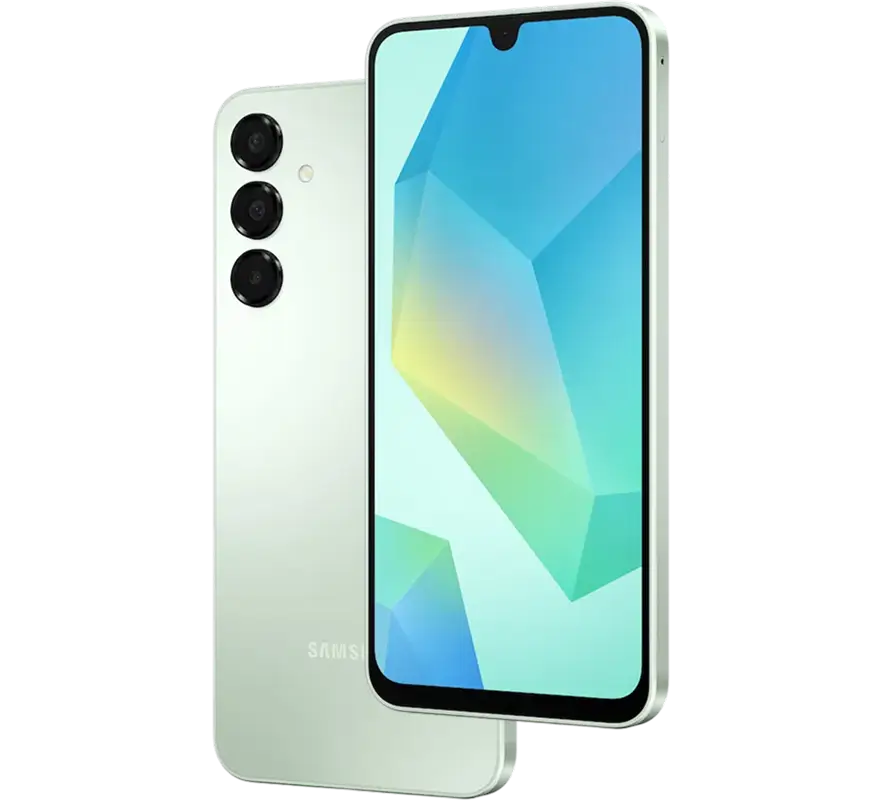
Galaxy A16 4G
Add the Samsung Galaxy A16 4G 128GB including 30GB data.
NOW FROMR189PM x 36
Deals valid while stocks last.
T&Cs apply
Experience the
Vodacom Fibre difference
Superior speed, seamless connectivity, and a customer experience that puts you first.

-

Blazing fast speeds
Experience lightning-fast internet for seamless streaming, gaming, and downloading.
-

Ultimate flexibility
Enjoy month-to-month contracts for hassle-free plan changes and maximum flexibility.
-

Download & upload power
Download and upload at lightning speeds for a truly exceptional online experience.
-

Installation within 7 days
Get connected with ease thanks to free installation and a complimentary router. T's & C's apply
CHAT TO US
Get expert advice
Let us guide you through the latest deals and promotions.


FIBRE INSTALLATION & ACTIVATION
What happens after you order fibre?
-

Step 1
Sales order notification
You'll receive a notification with your sales order number.
-

Step 2
Router delivery
Your router will be delivered to your doorstep within 1-3 days.
Track my order -

Step 3
Fibre installation
We'll contact you to schedule your fibre installation within 7 days (terms and conditions apply).
-

Step 4
Router activation
Watch our YouTube video to learn how to connect your fibre devices.
Watch now
Need some answers?
View terms and conditions-
How to get lifetime access to Amazon Prime with Vodacom Fibre?

-
The Offer is available to existing Vodacom Fibre customers who, at the time of launch have an active Vodacom Fibre (FTTH) service.
The Offer is also available to New Vodacom Fibre customers who sign up during the offer period as indicated in the Amazon Prime Offer Terms and Conditions.
Customers must be active subscribers for at least 30 days prior to being eligible.
An email will be sent after 30 days, to activate via a tokenised unique URL.
Click to see all the Terms and Conditions.
-
I want to order a Vodacom Fibre service, what should I do?
-
To place an order for Vodacom Fibre service, you must first confirm the availability of fibre in your area using one of the following methods:
- Completing a coverage check on our website
- Message us on WhatsApp on 082 622 3509
- Filling out a call-back request form
- Call our Customer Care line on 082 1904
-
What is the installation process?
-
- Once you've completed your application, your order is processed and added to the network build plan.
- The fibre network is then rolled out in your area according to the build schedule.
- The installation partner will contact you for an appointment to survey your home and plan the installation.
- Once the installation plan is agreed upon, a separate appointment will be made with you for the installation partner to install the Vodacom Fibre service and required equipment at your home.
-
Can I take my Vodacom Fibre Broadband service with me if I relocate?
-
Service relocations will be allowed subject to the availability of fibre infrastructure at the location you're moving to.
If our Vodacom team can provide Internet services at your new location, you'll be offered a service similar to the service you had at your previous location. However, you will incur additional costs relating to the provisioning of the service at the new location.
-
What is Immediate Billing?
-
With immediate billing, your first invoice is created as soon as your fibre service is activated. It covers only the pro rata charges for the days you used the service, plus any once off fees (like router delivery fee, activation, or installation fees). A debit order may go through within 48 hours of activation (excluding weekends, public holidays and the first 4 days of the month).
From next month, you will be billed for the full subscription on the debit order date you chose.Exception: In some cases, if your service is activated near month-end and your first invoice is generated in the following month, your invoice may include both the previous month's pro-rata charges and the current month's monthly subscription fee, together with any applicable once-off fees. In this scenario, the amount will not be collected within 48 hours and will instead be collected on your selected debit order date.
-
What does pro-rata mean?
-
Pro-rata is a billing system in which new customers are charged only from the date their Fibre service is activated, rather than from the beginning of the month.
-
Why does pro-rata exist?
-
Pro-rata works in your favor. You will only pay for the days your Fibre service is active, not the whole month. This applies if your service starts during the month instead of on the first day of the month.
-
How does pro-rata impact me?
-
When your fibre service starts, you'll only pay for the days left in that month, plus any once off fees. Your first bill won't include the full monthly subscription.
-
How will my billing be structured?
-
You will receive an invoice with a breakdown of each Vodacom Fibre service you've signed up for, Vodacom Fibre Broadband with or without Vodacom Fibre fixed voice. Your first invoice will be generated immediately after service activation and will include pro rata charges and once-off fees only, not a full month's subscription.
-
How will I receive my billing?
-
You will receive your detailed billing invoice via email. It is important that the email address we have on record is correct and active. You can contact our Fibre customer care on 082 1904 to update your contact details.
-
How can I get my invoice statement?
-
You can choose to get your invoice via email or through the Vodapay App.
You can Download the Vodapay from App store today by clicking this link: VodaPay - Super App or visit www.vodacom.co.za. Go to services on the App >Payment Solutions > VodaPay App.
You can get a copy of your choice on Vodapay by following these steps:
Select view all.
Select bill so far.Select view invoices and you will be presented with invoices. Thereafter, you can send it to yourself via email.
VodaPay - Super App
The only app you will ever need. All your favourite apps housed under one digital roof. With the VodaPay get access to exclusive deals, play games, or send money. Find Out More on VodaPay - Super App. -
How do I pay my Fibre Account?
-
There are multiple payment options available for you to pay your Vodacom Fibre account, all of which are detailed on your invoice statement.
Via an ATM
Select Vodacom (Pty) Ltd from the beneficiary list supplied by customer bank.
Use the applicable Vodacom account number as your reference number. Your account number is visible on your invoice statement.Via Internet Banking
Log into your bank's website using your login details
Select Vodacom (Pty) Ltd as a beneficiary.
Use the applicable Vodacom account number as your reference number. Your account number is visible on your invoice statement.Example: If applicable account number is N0012456-6, enter it as N00124566 (leave out the dash)
Over the Counter payments
You can pay over the counter at any Standard bank, ABSA, FNB or Nedbank branch.
Make sure that you have clearly and accurately stated your name and applicable account number on the relevant payment form and provide the bank with a copy of your Vodacom invoice.Please note: Banks cannot accept any Vodacom account payments if a copy of the Vodacom invoice is not provided.
Online
Using a cellphone, you can manage your Vodacom Fibre services, buy airtime and data.
You can Download the Vodapay from App store today by clicking this link: VodaPay - Super App or visit www.vodacom.co.za. Go to services on the App >Payment Solutions > VodaPay App.Please note: You can use Pay My Bill Functionality available on Vodapay.
-
When is my next debit order date?
-
Because of Immediate Billing, your first debit order may go through within 48 hours after your service is activated (excluding weekends, public holidays and the first 4 days of the month). If your first invoice is generated in the month after your service activation and includes both pro-rata and a full monthly subscription charge, the debit order will be deferred and collected on your selected debit order date instead. Thereafter, all future debit orders will run on the date you chose, which is shown on the first page of your invoice.
-
How much will I be charged on my next Vodacom Fibre bill?
-
You can find the amount of your upcoming bill on your invoice statement. It will appear as "Total Due" at the bottom of the first page. For your initial bill, the Total Due will reflect only pro rata charges and any once-off fees, in accordance with Immediate Billing.
Important: If your service was activated at the end of a month and your first invoice is generated in the following month, your first invoice may include:
- Pro-rata charges for the previous month,
- The current month's full subscription, and
- Any applicable once-off charges.
In this case, payment will be collected on your selected debit order date and not through the immediate debit order process.
-
How is the Total due amount calculated?
-
Your monthly Fibre service charge is distributed evenly over the month. The remaining days of the month are multiplied by a daily service charge. The daily service charge is calculated by dividing the full month charge by the number of days in a month.
Example for a customer joining on 17 October 2023 on a monthly subscription fee of R310:
Calculate the remaining days: 31 - 17 + 1 (adding back the day of activation) = 15 days
Calculate the daily charge: R310 / 31 = R10 daily charge
Multiply the remaining days by the daily charge: R10 x 15 = R150 pro-rata amount
Total Bill = R460 (Prorata bill + monthly subscription fee). -
Will I be charged for non-standard installation?
-
Yes, non-standard installation charges will apply where applicable. A non-standard installation of the Customer Premises Equipment or related devices amounts to any installation that requires the following:
- deployment of optic fibre cables with a measured length that exceeds 8 (eight) meters on the Vodacom Electronic Communications Network.
- where drilling is required, and entails the penetration of more than two (2) outer walls of the subscriber's residential premises; and
- where the reticulation of the Customer Premises Equipment is within high-rise multiple dwelling units, where the deployment occurs in a residential unit situated from at least the 10th floor and above.
Note: The customer is responsible for obtaining the latest charges for a Non-standard installation before commencing the Installation.
-
When will I get billed for the non-standard installation charge?
-
Vodacom will bill you in the next month for the once-off charge related to your non-standard installation.
-
Vodacom Support
-
For assistance with your Vodacom Fibre service, please contact our Customer Care team at 082 1904 or email us at [email protected].
Our fibre providers
We have partners with different providers in different areas.
To see which providers are available in your area, please check your fibre coverage.


















Fibre isn't available yet. Get connected with Home Internet.
Create a personalised Home Internet package
that suits your needs.

CHOOSE THE
Speed

CHOOSE THE
Duration
CHOOSE THE
Add-ons
STARTING FROM
R399 PM
-
 Flexible packages
 -
Fast 5G Coverage
-
Build in 3 minutes
-
Plug & Play Router
